Hindi video captions
Give Hindi speech readable captions.
Start with a timed draft from your video, correct the words, then show Hindi in Devanagari. Keep English product terms in Latin letters when that reads better, choose a style, and export the captioned video.
Caption a Hindi videoStarts with a free account. Video captioning happens in the editor.

How to make Hindi captions
Start with the speech. Finish with a careful read.
- Upload an MP4 or MOV after creating an account. Choose Hindi or let Vidtone detect the speech.
- Review the timed transcript. Fix names, numbers, and any English words the draft spelled awkwardly.
- Choose Devanagari display, set a readable caption style, then export an MP4 or SRT/VTT subtitle file.
A mixed Hindi example
आज की video में तीन simple tips हैं।
A Hindi-first caption does not require every English term to be spelled phonetically in Devanagari. Review the words your audience recognizes and keep their meaning intact.
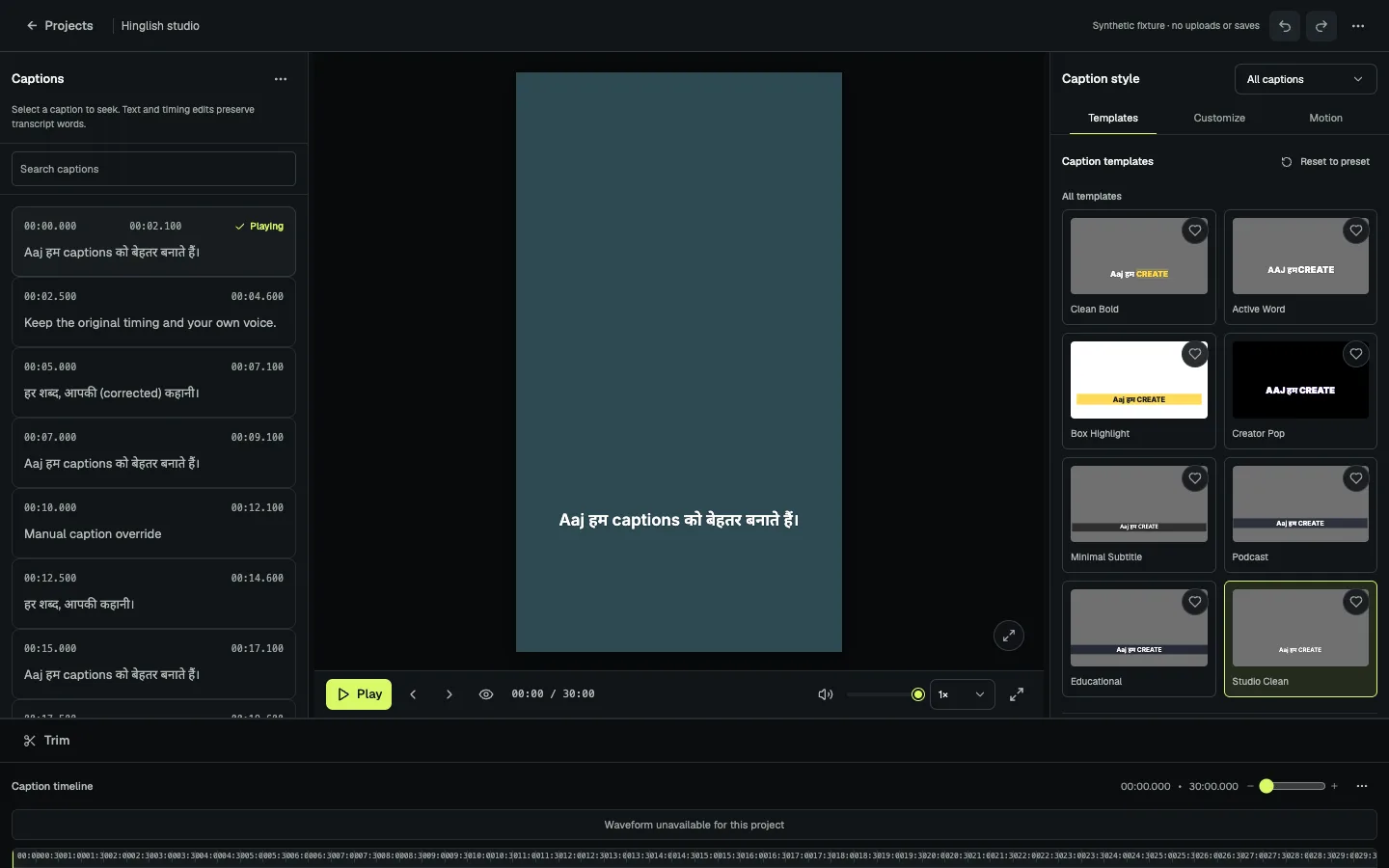
Readable result
Check the final frame, not just the text box.
Devanagari takes a different amount of space from Latin letters. Preview long lines inside a vertical, square, or wide frame; adjust caption placement, line length, and contrast before export.
Text corrections keep their timing. Choosing Roman or Devanagari display does not translate the speech or rerun transcription.
Choose for your audience
Hindi-first or Roman Hinglish?
Use Devanagari when your viewers read Hindi that way. If they follow Hindi-English speech in Latin letters, Roman Hinglish may feel more familiar. Preview the same line both ways before deciding.
For code-mixed Roman captions, see the Hinglish workflow. For a closer look at script choice, read Roman Hindi vs Devanagari captions.
Create a free account