Hindi + English video
Make Hinglish captions that sound like you.
Upload your video after creating an account. Vidtone times the speech, lets you fix names and mixed-language words, and puts the captions into a finished MP4. Choose Latin letters or Devanagari for Hindi words without transcribing again.
Caption a Hinglish videoStarts with a free account. Video captioning happens in the editor.

Script choice
One spoken line, two ways to show it.
Hinglish is the Hindi-English speech. Script is how the Hindi words appear on screen.
Latin letters
Guys, aaj ka workflow simple hai.
Devanagari with English kept in English
Guys, आज का workflow simple है।
These are sample lines. Switching caption script changes the display text while preserving the saved transcript and timing. It does not translate the speech.
In the editor
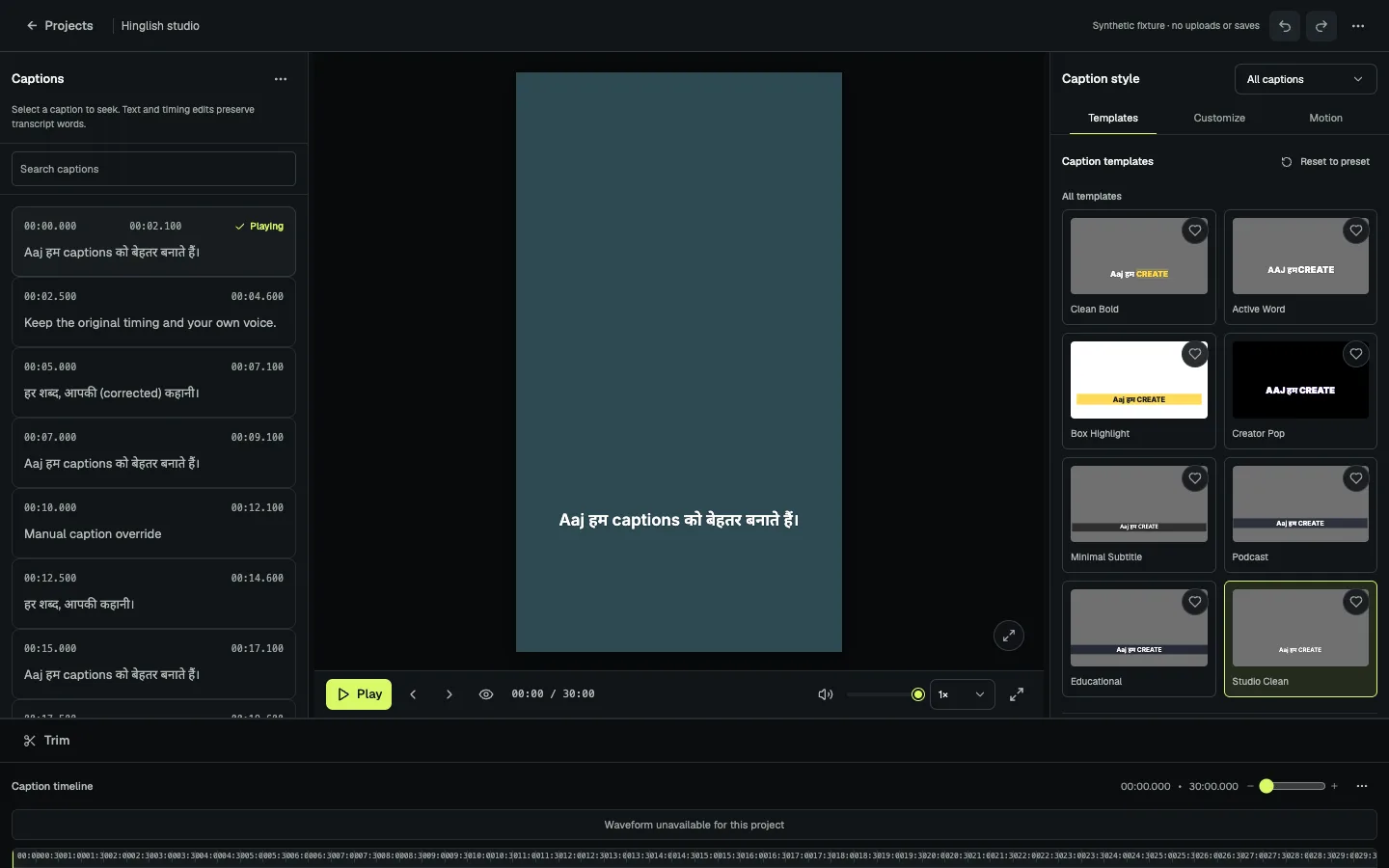
Review the words before styling.
Correct names, brand terms, and phrases that speech recognition heard incorrectly. Your correction stays ahead of saved glossary spellings, and text edits keep the caption timing.
- Upload an MP4 or MOV and choose Hinglish or automatic language detection.
- Read the timed draft, correct words, then choose the caption script.
- Pick a caption style, check it in the frame, and export an MP4. SRT and VTT downloads are also available.
Before export
Check the words your audience notices.
- Read names, brands, numbers, and English terms in the middle of Hindi phrases.
- Preview the longest line in your chosen script; Latin and Devanagari wrap differently.
- Watch the final MP4 on a phone before posting. Vidtone does not publish to social platforms for you.
Want a Hindi-first result? See the Hindi caption workflow. For the terminology, read what Hinglish captions are.
Create a free account